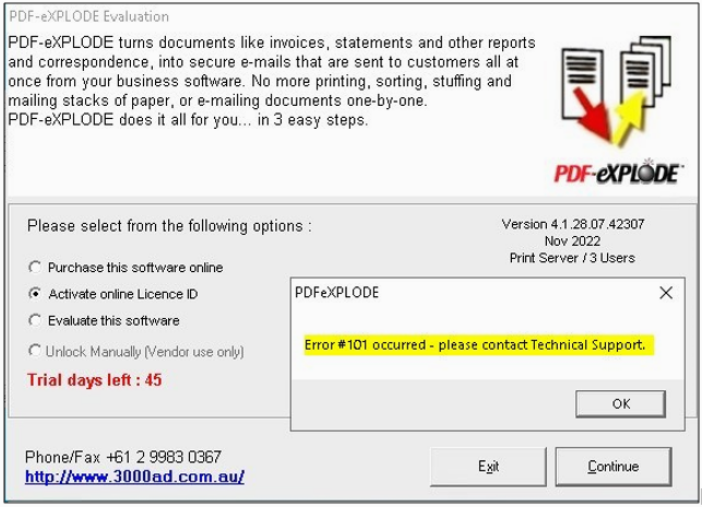
When I enter the License ID and Password for Licensing, I get an Error #101


ISSUE:

 I started my Licensing as instructed, by using Run As Administrator. Despite that, when I click Activate onLine License ID and enter my License ID and Password, I get an Error #101 - please contact Technical support, as shown here:


  What did I do wrong? And how do I fix it?


 ANSWER:

Error 101 means you have used a NON-software Licensing ID instead of the corrrect ID from the actual PDF-eXPLODE software License purchase receipt. Most likely you have used the "License ID" (incorrectly called as a License ID instead of a Receipt no by the ecommerce site software) from the receipt for the Annual Support.  If your software License was previously activated by 3000AD Systems support at your request, then most likely that License ID counter stands at '1' and you are still able to activate the license. Please don't forget to License PDF-eXPLODE software as follows:
 

  1. Make sure using Task Manager /Processes tab that there is no open instance of PDF-eXPLODE.exe*32 in memory. If so – kill it using the End Process
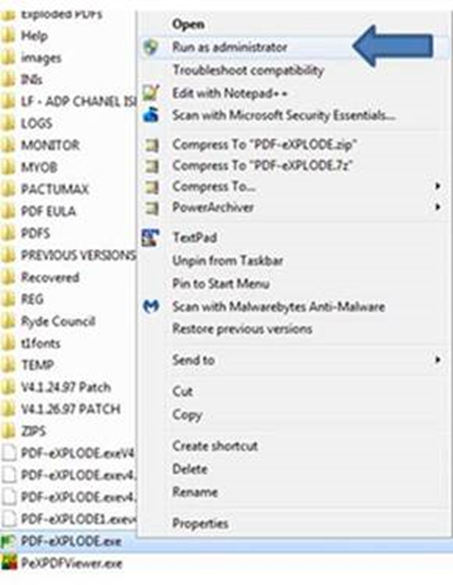
  2. Right click on the PDF-eXPLODE.EXE in the installed folder ****DO NOT DO THIS ON THE DESKTOP SHORTCUT****


  1. Select Run As Administrator from the popup menu  ***THIS IS COMPULSORY regardless of whether you are an Administrator ***
  2. Once the evaluation screen appears 
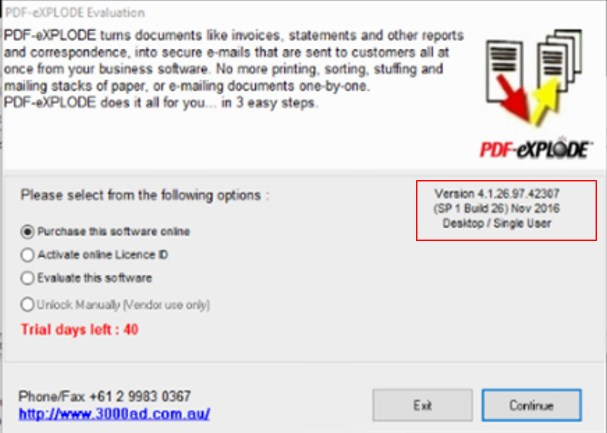
    1. Check the Evaluation screen mid- RHS for License Type. It should say  Desktop Single User based on your license purchased. Make sure what shows on this evaluation screen matches the license you purchased. Then go to the step 4 b.
    2. only then you will select option 2 – Activate on line – ensure you are connected to the internet and NOT a proxy server connection as we are unable to license across a proxy server connection
  3. Enter the License ID and password above and click OK
  4. When you get the “success” message, click OK and ensure that the Evaluation screen disappears immediately
  5. Close PDF-eXPLODE and restart PDFeXPLODE to verify the Evaluation screen does not appear.


Article ID: 126
Created On: Thu, Nov 24, 2022 at 10:26 PM
Last Updated On: Mon, Nov 28, 2022 at 10:03 PM

Online URL: https://kb.pdf-explode.com/article/when-i-enter-the-license-id-and-password-for-licensing-i-get-an-error-101-126.html